A trainee was rejected. The problem was missing context.
On Agora at Flock I+D, I’m the Product Owner. My work spans customer discovery, product priorities, architecture decisions, hands-on AI implementation and candidate UX/UI.
Press for click or tap position controls, or drag to move. Double click then drag text to select, or hold Alt. On touch, hold text to select. Arrow keys move ten pixels; hold Shift for forty. Home resets. Escape restores the position at the start of this move.
Move object
Click or tap. No dragging needed.
Agora / Candidate entry↗
ROLE CRITERIA ↘ HUMAN REVIEW
01 / Context + my contribution
Product owner. Hands-on builder.
Agora connects CV matching, AI technical interviews and a recruiter backoffice with ranking, history and a searchable talent pool. At Flock I+D, my role crosses product decisions and implementation.
Press for click or tap position controls, or drag to move. Double click then drag text to select, or hold Alt. On touch, hold text to select. Arrow keys move ten pixels; hold Shift for forty. Home resets. Escape restores the position at the start of this move.
Move object
Click or tap. No dragging needed.
01 / My contribution
Product direction
I work on product definition and priorities. In this case, I helped define the immediate guardrail while the structural search-creation fix stayed on the roadmap.
The product decision ↗Press for click or tap position controls, or drag to move. Double click then drag text to select, or hold Alt. On touch, hold text to select. Arrow keys move ten pixels; hold Shift for forty. Home resets. Escape restores the position at the start of this move.
Move object
Click or tap. No dragging needed.
02 / My contribution
Architecture + AI
I participate in architecture decisions and implement AI features directly, connecting the application with its agent workflows.
The product system ↗Press for click or tap position controls, or drag to move. Double click then drag text to select, or hold Alt. On touch, hold text to select. Arrow keys move ten pixels; hold Shift for forty. Home resets. Escape restores the position at the start of this move.
Move object
Click or tap. No dragging needed.
03 / My contribution
Customer discovery
I discover customer needs and bring commercial context into product decisions. This case starts with a concrete report from a talent team.
Where the case started ↗Press for click or tap position controls, or drag to move. Double click then drag text to select, or hold Alt. On touch, hold text to select. Arrow keys move ten pixels; hold Shift for forty. Home resets. Escape restores the position at the start of this move.
Move object
Click or tap. No dragging needed.
04 / My contribution
Candidate experience
The team built the base candidate application. I contribute UX improvements, reliability fixes and end-to-end validation across entry, preparation and the voice interview.
Missing requirements should trigger review, not rejection.
A talent team flagged a Systems student rejected for a trainee search. The explanation blamed missing studies. Two separate failures sat behind that decision.
Press for click or tap position controls, or drag to move. Double click then drag text to select, or hold Alt. On touch, hold text to select. Arrow keys move ten pixels; hold Shift for forty. Home resets. Escape restores the position at the start of this move.
Move object
Click or tap. No dragging needed.
01 / Missing requirements
No structured skills. A 0% match.
The requirements were in a public advert the matcher did not consume. With no structured skills in the search, missing context became a 0% match and an automatic rejection.
Press for click or tap position controls, or drag to move. Double click then drag text to select, or hold Alt. On touch, hold text to select. Arrow keys move ten pixels; hold Shift for forty. Home resets. Escape restores the position at the start of this move.
Move object
Click or tap. No dragging needed.
02 / A catalog gap
Education existed. The alias did not.
The Spanish-language education catalog did not recognize English degree names and levels. The resulting rejection explanation also missed the candidate’s stated education.
Press for click or tap position controls, or drag to move. Double click then drag text to select, or hold Alt. On touch, hold text to select. Arrow keys move ten pixels; hold Shift for forty. Home resets. Escape restores the position at the start of this move.
Move object
Click or tap. No dragging needed.
The bounded fix / my contribution
No structured skills → human review.
I helped define a bounded fix: route searches with no structured skills to human review, remove them from talent-pool suggestions, and extend the education catalog to recognize English degree names and levels.
Selected / With guardrail. No structured skills. Decision held. Talent review.
01 / Input
No structured skills
02 / State
0% match
Decision held
03 / Outcome
Automatic rejection
Talent review
Hover or focus to preview; select to keep a state. Escape restores With guardrail.
The structural fix was to prevent searches without requirements. Templates, Manatal imports and AI prefill needed more time, so the immediate guardrail stayed small while that work remained on the roadmap.
Why this fix? The alternatives considered +
Use another evaluator
It shared the same education catalog, so that recognition gap would remain.
Read the public advert
That would mix promotional copy with structured role requirements.
Repair search creation structurally
Templates, imports and AI prefill needed more time. They remained on the roadmap while the bounded guardrail addressed the missing-input state.
Validation
One decision changed. Scores stayed the same.
Before release
The team reported two searches affected by missing structured skills. Replaying the calculation changed one decision without changing scores.
After release
A read-only check, reported by the team, confirmed human review and education recognition for the affected case. A control search stayed unchanged.
03 / Product flow
Criteria. Evidence. Human context.
Role criteria define the review. Jev connects CV evidence to each criterion; voice interviews add technical context. Recruiters see the candidate’s combined history.
Press for click or tap position controls, or drag to move. Double click then drag text to select, or hold Alt. On touch, hold text to select. Arrow keys move ten pixels; hold Shift for forty. Home resets. Escape restores the position at the start of this move.
Move object
Click or tap. No dragging needed.
01 / Define
Role criteria
The search and its role criteria.
Search context
Role criteria
Press for click or tap position controls, or drag to move. Double click then drag text to select, or hold Alt. On touch, hold text to select. Arrow keys move ten pixels; hold Shift for forty. Home resets. Escape restores the position at the start of this move.
Move object
Click or tap. No dragging needed.
02 / Connect
Evidence
Jev / CV matching against each criterion.
Criterion-level evidence
Interview context
Press for click or tap position controls, or drag to move. Double click then drag text to select, or hold Alt. On touch, hold text to select. Arrow keys move ten pixels; hold Shift for forty. Home resets. Escape restores the position at the start of this move.
Move object
Click or tap. No dragging needed.
03 / Review
Recruiter review
Candidate context in the backoffice.
Ranking + history
Talent pool
Press for click or tap position controls, or drag to move. Double click then drag text to select, or hold Alt. On touch, hold text to select. Arrow keys move ten pixels; hold Shift for forty. Home resets. Escape restores the position at the start of this move.
Move object
Click or tap. No dragging needed.
AI agents / Candidate experience
Voice interview
Automated technical interviews with AI agents.
Press for click or tap position controls, or drag to move. Double click then drag text to select, or hold Alt. On touch, hold text to select. Arrow keys move ten pixels; hold Shift for forty. Home resets. Escape restores the position at the start of this move.
Move object
Click or tap. No dragging needed.
Inside the decision
What happens when requirements are missing?
Follow the guardrail from missing criteria to a human decision.
Evidence
Missing input cannot support a rejection.
With no structured skills in the search, the matcher has no requirements to compare. The guardrail routes that search to human review instead of treating missing context as a candidate score.
Recruiter review
Keep the reason for escalation visible.
A person reviews the missing requirements before a candidate decision proceeds. Extending the education catalog to English degree names addressed a separate recognition gap.
04 / Evidence + related reading
Keep the judgment close to its evidence.
The published JEV study compares AI evaluations with reference judgments in a retrospective dataset. It is separate from the production incident above.
Press for click or tap position controls, or drag to move. Double click then drag text to select, or hold Alt. On touch, hold text to select. Arrow keys move ten pixels; hold Shift for forty. Home resets. Escape restores the position at the start of this move.
Move object
Click or tap. No dragging needed.
My contribution / product + implementation
Make the decision reviewable.
I implemented structured search requirements, criterion-level CV evidence, JEV integrations and human-review controls with AI coding agents. The team built the base platform; my work connects its decision rules, interface and validation.
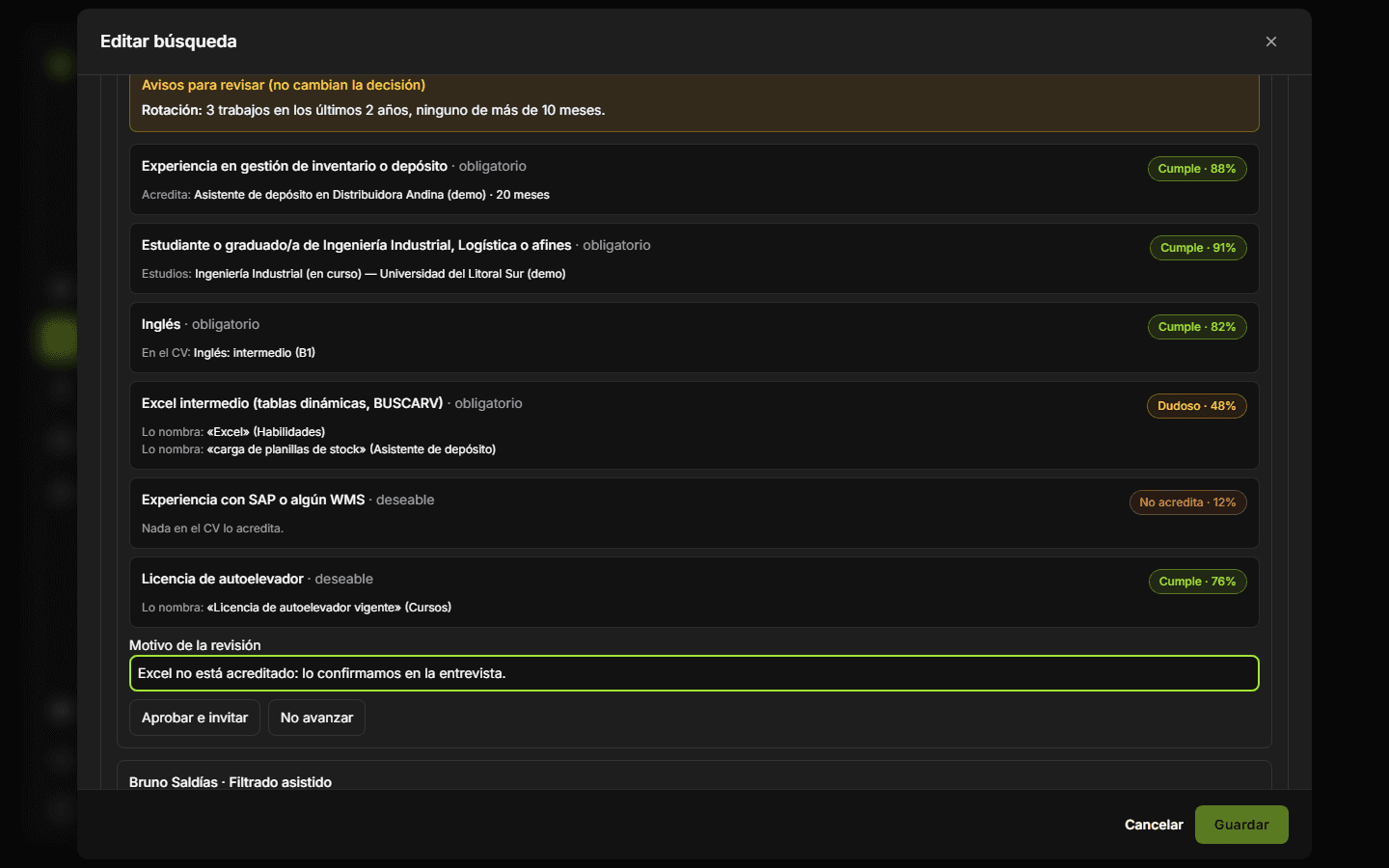
This local demo uses fictional data. Mentioning Excel does not establish the required experience: the recruiter sees the CV excerpts, records a review reason and chooses the next action. I designed and implemented this review interface to keep the judgment connected to its evidence. Inspect the full review ↗
05 / Candidate experience
Candidate UX is part of the product.
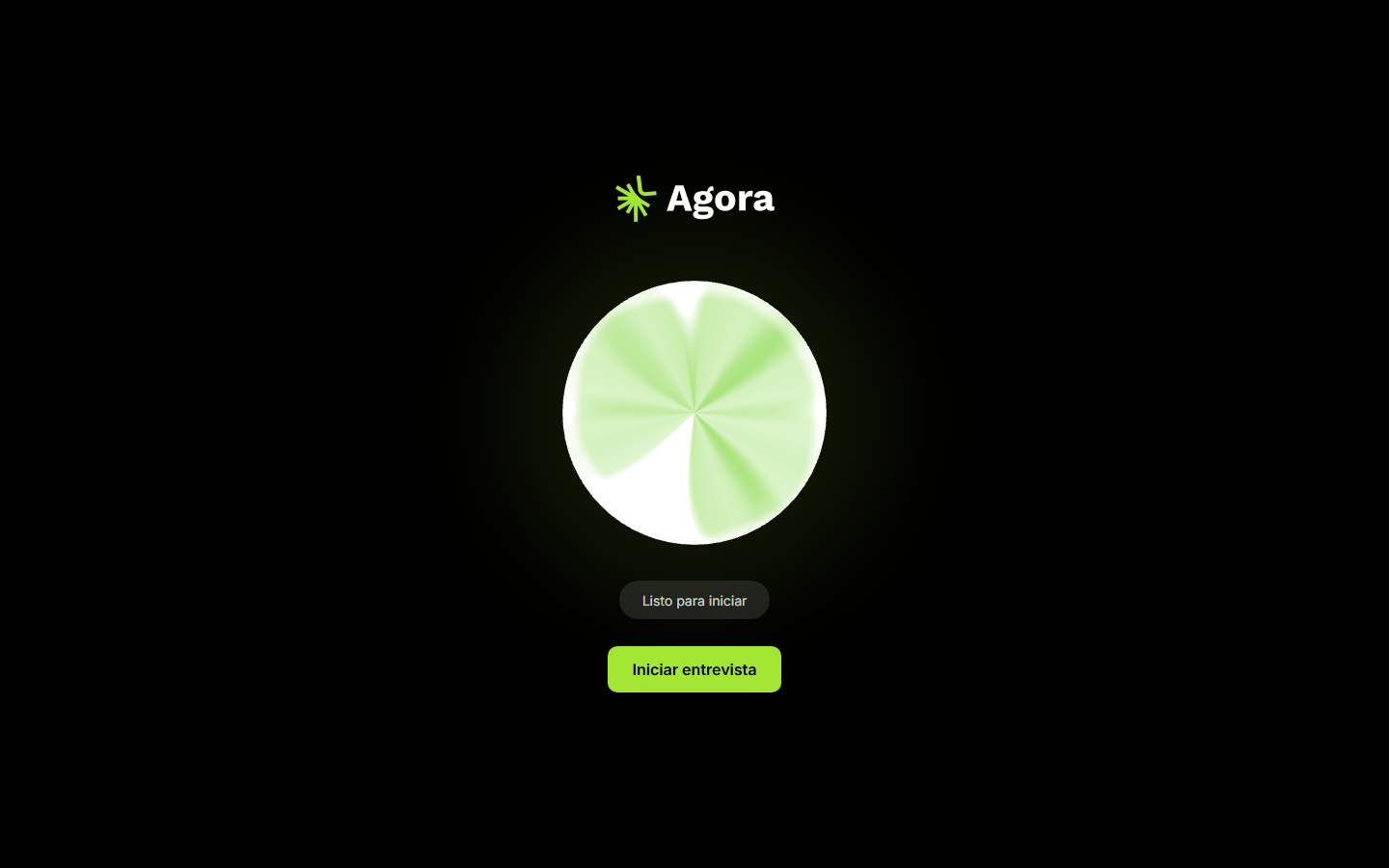
The team built the base candidate application. My contribution includes UX work, reliability fixes and end-to-end validation. These local demo screens use fictional data and show candidate entry and the interview-ready state.
Press for click or tap position controls, or drag to move. Double click then drag text to select, or hold Alt. On touch, hold text to select. Arrow keys move ten pixels; hold Shift for forty. Home resets. Escape restores the position at the start of this move.
Move object
Click or tap. No dragging needed.
Agora / Candidate entry↗
Press for click or tap position controls, or drag to move. Double click then drag text to select, or hold Alt. On touch, hold text to select. Arrow keys move ten pixels; hold Shift for forty. Home resets. Escape restores the position at the start of this move.
Move object
Click or tap. No dragging needed.
Agora / Interview ready↗
06 / Product system
The product behind the decision.
I contribute to architecture decisions and AI features across these product responsibilities. Manatal integration and bulk search uploads support the recruiter workflow.
Press for click or tap position controls, or drag to move. Double click then drag text to select, or hold Alt. On touch, hold text to select. Arrow keys move ten pixels; hold Shift for forty. Home resets. Escape restores the position at the start of this move.
Move object
Click or tap. No dragging needed.
AGORA / UNDER THE INTERFACE▤
Press for click or tap position controls, or drag to move. Double click then drag text to select, or hold Alt. On touch, hold text to select. Arrow keys move ten pixels; hold Shift for forty. Home resets. Escape restores the position at the start of this move.
Move object
Click or tap. No dragging needed.
Candidate preparation and interview entry. Recruiter searches, ranking and history.
I shape the candidate UX/UI and connect it to the recruiter workflow.
Next.js · Supabase
Press for click or tap position controls, or drag to move. Double click then drag text to select, or hold Alt. On touch, hold text to select. Arrow keys move ten pixels; hold Shift for forty. Home resets. Escape restores the position at the start of this move.
Move object
Click or tap. No dragging needed.
CV evidence meets role criteria. Technical interviews add context to the candidate’s history.
I participate in architecture decisions and implement AI features directly.
Python · OpenAI
Press for click or tap position controls, or drag to move. Double click then drag text to select, or hold Alt. On touch, hold text to select. Arrow keys move ten pixels; hold Shift for forty. Home resets. Escape restores the position at the start of this move.
Move object
Click or tap. No dragging needed.
A search without structured skills goes to human review. Missing inputs cannot support a confident rejection.
I helped define the bounded guardrail while the structural input fix stayed on the roadmap.
Missing criteria → human review
Supporting the application + agentsAWS Amplify · Railway
07 / Current status / in use and growing
The next iteration: better inputs.
Agora is used by clients and continues to grow. The immediate guardrail addressed searches with no structured skills. Structured templates, imports and AI prefill remain the next structural direction, alongside continued work on the candidate and recruiter experience.